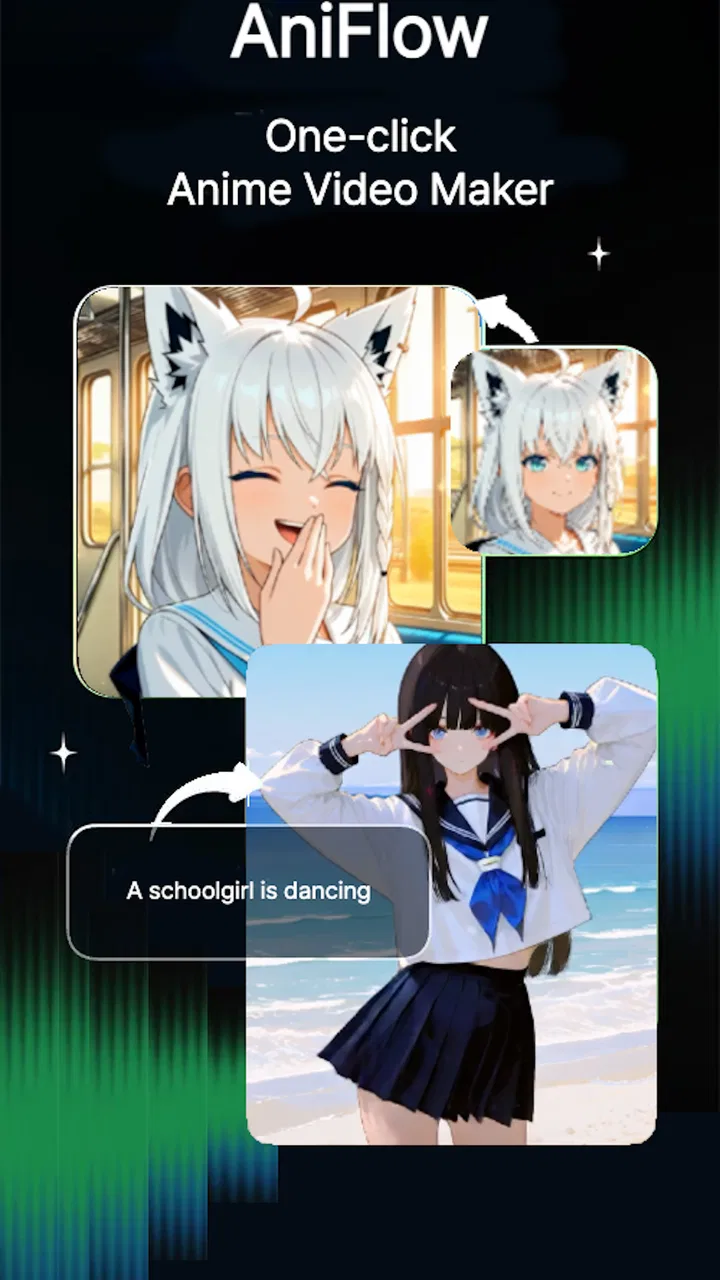
AniFlow - AI Anime Video Maker
- 4.5
- Rating
- 100.00K
- Installs
- Free
- Price

 Analysis by App-foxy
I spent time with AniFlow, an AI anime video maker from Make Your Wish LLC, and the app is easiest to understand when you focus on one central idea: turning a simple creative prompt into an anime-style video. That sounds straightforward, but the practical effect is more interesting than the short store summary suggests. Instead of beginning with a timeline, layers, brushes, and a long editing session, I can begin with an idea and see it translated into moving visual content.
That makes AniFlow feel less like a traditional drawing app and more like a fast concept tool for people who want to explore anime-inspired scenes without first learning illustration or animation software. I would not treat it as a replacement for a full editor, but I can see why it appeals to someone who wants a quick visual result for a personal project, a social post, a mood board, or a story experiment.
The app is free to install and is rated for Everyone, while optional in-app purchases range from $0.99 to $49.99 per item. It runs on Android 7.0 or later, and its current version is 1.0.69. Those details matter because the low entry barrier makes it easy to test, but the purchase range means I would still explore the free experience carefully before committing to repeated paid creation.
You May Also Like

 Blood Strike: 2.5 Anniversary
Blood Strike’s Loadouts Turn Every Drop Into a Tactical Gamble
A close look at Blood Strike’s custom loadouts: how fast access to signature weapons reshapes its battle royale rhythm, rewards preparation, and narrows the gap between fights.

 Pandora - Music & Podcasts
Pandora’s Music Is Easy to Start, but Harder to Recover
Pandora’s strength is its low-effort path from a seed to a station. Its weak spot is how much confidence it asks you to place in connection, setup, and quiet recovery.

 8 Ball Pool
 Is Built on Rivalries, Rematches, and Routine
A close look at the rivalries, rematches, shared routines, and unanswered safety questions that turn a quick pool match into a persistent mobile community.

 Samsung Music
’s Quiet Strength Is Playing What You Already Own
Its reach comes less from spectacle than from dependable access to a personal library. That simplicity is both the app’s strongest retention engine and its ceiling.

 AccuWeather: Weather Radar
AccuWeather Review: A Quick, Clear Forecast for Everyday Decisions
For everyday plans, the best forecast is the one you can understand quickly. AccuWeather makes rain timing, radar, and local conditions easy to act on, with a few trade-offs.

 Hill Climb Racing
Why Hill Climb Racing Still Turns Crashes Into One More Run
A tiny car, a bumpy hill and one more upgrade: Hill Climb Racing keeps resurfacing because its simple chaos makes every near-miss feel personal.
More From Our News Desk



What AniFlow’s AI video capability really changes
The biggest change is the starting point. In a conventional anime video maker, I normally need to decide on a canvas, create or import artwork, arrange elements, set movement, and then refine the timing. AniFlow shifts the first step toward describing an idea. That can be a major advantage when the goal is to communicate a feeling or visual direction rather than produce a polished animation frame by frame.
For example, I might want a quiet anime-style scene with a character waiting at a train station during rain. With a traditional workflow, even a rough version requires visual assets and some knowledge of composition. With AniFlow, the appeal is that I can begin from the scene concept itself. The AI acts as a bridge between what I imagine and something I can watch, react to, and revise.
That bridge is especially useful for people who are good at imagining stories but less confident with drawing. I found the concept more valuable for exploration than for perfection. A generated clip can reveal whether an atmosphere works, whether a character idea feels right, or whether a scene has enough visual energy to deserve more work elsewhere.
The real strength is speed of visual feedback, not professional animation control. That distinction is important. If I need exact character poses, carefully timed lip movement, consistent costumes across many shots, or precise camera choreography, an AI-first app is unlikely to offer the same control as dedicated animation software. AniFlow makes the first version easier; it does not remove the need for artistic decisions.
Why the anime focus is useful
A broad video generator can produce many visual styles, but a focused anime direction gives the app a clearer personality. For a viewer who already likes expressive character designs, dramatic lighting, fantasy settings, or cinematic action, the style can make an early idea feel more coherent than a generic video treatment.
I also think the style lowers the pressure of making something realistic. A rough result can still feel intentional when it belongs to an illustrated world. That makes AniFlow suitable for playful experiments, short story concepts, character introductions, and visual prompts that would be difficult to stage with ordinary phone video.
There is a trade-off, though. A strong style can also narrow the app’s usefulness. If I want a natural product demonstration, a documentary look, a clean business presentation, or a faithful recording of a real location, AniFlow would not be my first choice. Its value comes from stylized interpretation, not visual neutrality.
How I would use it in practice
I would approach each creation as a small visual brief rather than a vague wish. A useful prompt should identify the subject, setting, mood, action, and visual priority. Instead of asking for “an anime video,” I would describe the scene I want to communicate and decide what the viewer should notice first.
This workflow helps because AI-generated visuals can otherwise become unfocused. If the scene includes too many characters, several actions, and multiple changes of location, the result may be harder to judge. I get more useful feedback when I start with one moment: a character turning toward a glowing doorway, a cyclist passing through a neon street, or a magical object activating in a quiet room.
One practical tip is to separate the creative goal from the technical ambition. If the goal is to test a character design, I would keep the action simple. If the goal is to test movement, I would avoid adding a complicated background. This makes it easier to see whether the generated video is helping or merely distracting me with extra visual activity.
Another useful habit is to save the idea behind each attempt in my notes. AI video tools encourage quick experimentation, and that can make promising concepts disappear in a stream of variations. Writing down what I was testing—lighting, mood, character attitude, or scene composition—turns casual generation into a more deliberate creative process.
A realistic everyday scenario
Imagine I am preparing a short birthday message for a friend who loves anime. I do not need a full production with a cast, dialogue recording, and elaborate editing. I could use AniFlow to explore a short celebratory scene with a favorite kind of atmosphere, then choose the version that best matches the message. The point would be personal expression, not cinematic precision.
Another scenario is a writer planning a new story. Before spending time describing a fantasy city in detail, I could use an AI-generated anime video to test the emotional direction of the setting. Does it feel mysterious, warm, dangerous, or lonely? Even if the final video is not used, seeing the concept in motion can expose weaknesses in the original idea.
For a student working on a visual presentation, AniFlow could also be useful as a way to create an opening mood piece or illustrate an imaginative section. I would still check the assignment requirements and keep the app’s role clear: it can help visualize an idea, but it should not replace the explanation, research, or original thinking behind the project.
What the experience is not designed to replace
I would not choose AniFlow when I need frame-by-frame control. Traditional animation tools remain better for adjusting individual poses, controlling timing at a granular level, and maintaining a consistent visual model through a long sequence. They take more effort, but that effort buys predictability.
I would also choose a conventional mobile video editor for footage I have already recorded. If my source material is a family clip, a travel video, or a product demonstration, trimming, captions, transitions, and audio controls are more important than anime-style generation. AniFlow is aimed at creating an imagined visual rather than organizing ordinary camera footage.
Compared with drawing and illustration apps, AniFlow offers a quicker path to movement, but drawing apps give me more ownership over the exact appearance of every element. A digital artist who already has a strong workflow may find AI generation less satisfying when the goal is to preserve a personal line style or carefully constructed character sheet.
Where the friction appears
The first limitation is the natural unpredictability of AI output. A prompt can communicate the broad mood while missing the detail I considered essential. A character may not look exactly as imagined, an action may feel less clear than expected, or the scene may prioritize a background element over the subject. That is not necessarily a failure, but it means I need patience and a willingness to revise.
Consistency is another concern for anyone planning a sequence rather than a single clip. A character who looks right in one generation may not remain visually identical in another. For a short standalone idea, that may be acceptable. For a continuing story with recurring characters, it can become a serious creative obstacle.
I also would not assume that the first result is automatically ready to publish. AI-generated content still needs human review. I would watch for awkward movement, unclear visual relationships, accidental details, and moments where the intended story is difficult to understand. The speed of creation makes review more important, not less.
The free price is helpful for trying the concept, but the in-app purchase range deserves attention from frequent users. Someone who only wants occasional experiments may be comfortable staying within the free experience. Someone who generates repeatedly should think about how quickly small purchases could add up and whether the app’s workflow fits a regular budget.
Because AniFlow is relatively new, I would also keep expectations practical rather than assuming it has the maturity of long-established creative suites. Its listed release date is June 13, 2025, and the app has a 4.3 average from around 2.9 thousand ratings. That gives a useful indication of early reception, but it is still sensible to judge the current version directly for the kind of videos I want to make.
Tips for getting more useful results
Start with one clear action. A single readable movement usually gives me a better basis for judging the result than a prompt packed with several events.
Describe the emotional tone as well as the subject. “A character in a room” leaves too much open; adding tension, calm, wonder, or melancholy gives the scene a stronger purpose.
Use the first generation as a test, not a final verdict. If the atmosphere is right but the composition is wrong, I revise the idea instead of abandoning it immediately.
Keep a distinction between inspiration and delivery. A generated scene may be excellent for discovering a direction while still needing another tool for editing, sound, titles, or a longer narrative.
These habits also help control time and spending. Randomly requesting endless variations can be entertaining, but it is less useful than changing one creative variable at a time. If I alter the setting, action, character, and mood together, I cannot tell which change improved the result.
Who benefits most from the app
AniFlow is a good match for curious beginners, anime fans, writers, students, and creators who want to turn an idea into a visual experiment quickly. It is particularly appealing when I have a strong concept but lack the drawing skills, animation experience, or time needed to build the first version manually.
It can also help experienced creators during pre-production. I would use it to explore visual directions, test the mood of a scene, or create a rough reference before moving to a more controlled tool. In that role, the app does not need to deliver the final asset to be valuable; it only needs to help me make a better creative decision.
Casual users may appreciate the low commitment of a free app with an Everyone rating. It is approachable for personal experiments and does not require me to begin with a complicated professional workflow. Still, the purchase options mean that I would monitor usage if I were handing the device to a child or using it for frequent generation.
The people who should skip it are those seeking exact production control, dependable character continuity, detailed editing, or a realistic video style. A professional animator may find the lack of precision limiting, while someone editing recorded footage will likely be better served by a standard video editor. The app is most convincing when the question is, “Can I turn this idea into an anime-style moving image quickly?”
My final take on AniFlow
I like AniFlow because it makes the first visual step feel less intimidating. Its AI anime video capability can turn a loose thought into something I can inspect, share, and improve. That is a meaningful benefit for anyone who thinks in scenes but does not want to begin with a blank timeline or a drawing tablet.
At the same time, I would keep its role realistic. It is not a substitute for careful animation, a complete editing suite, or a guaranteed way to preserve every detail of a recurring character. The best results come when I treat it as a fast creative partner: useful for discovering possibilities, less suitable when I need total control.
Make Your Wish LLC has positioned the app in the Art & Design space, and that feels accurate. I would recommend trying the free version if you enjoy anime aesthetics, want to visualize story ideas, or need a quick starting point for a personal project. Just review each result critically, keep paid use intentional, and move to a more specialized alternative when precision matters more than speed.
With over one hundred thousand installs, AniFlow has already attracted a substantial early audience, but its real appeal is personal rather than numerical. If you want a quick way to see an anime-inspired idea move, it is worth exploring. If you want to direct every frame, I would choose a traditional animation workflow instead.
FAQs for AniFlow - AI Anime Video Maker
01What is AniFlow - AI Anime Video Maker?
AniFlow - AI Anime Video Maker is an innovative app designed to help users create stunning anime-style videos using artificial intelligence. The app offers a variety of tools and features that allow users to transform their ideas into animated videos with ease. Its intuitive interface makes it accessible for both beginners and experienced creators.
02What features does AniFlow offer to enhance video creation?
AniFlow provides a range of features to enhance the video creation process, including pre-designed templates, customizable characters, and backgrounds. Users can also add voiceovers, sound effects, and music tracks. The AI-driven technology simplifies animation, making it easy to create professional-quality videos without extensive animation skills.
03Is AniFlow suitable for beginners without animation experience?
Yes, AniFlow is designed to be user-friendly, making it ideal for beginners without prior animation experience. The app's AI technology guides users through the creation process, while its templates and easy-to-use editing tools allow anyone to produce impressive anime videos quickly and efficiently.
04Are there any in-app purchases or subscription fees for AniFlow?
AniFlow offers both free and premium versions. While the free version provides basic features, the premium subscription unlocks advanced tools and additional content. Users should be aware of potential in-app purchases for exclusive templates and effects that enhance the overall animation experience.
05Can I share my AniFlow creations on social media platforms?
Absolutely, AniFlow allows users to easily share their creations on various social media platforms. Once your video is complete, the app provides options to export and upload directly to platforms like Instagram, TikTok, and YouTube, making it simple to showcase your work to a wider audience.
Pros
- User-friendly interface for quick navigation.
- Offers stunning AI-generated anime effects.
- Supports high-definition video exports.
- Frequent updates with new features.
- No watermarks on exported videos.
Cons
- Limited free version features.
- Requires a strong internet connection.
- Occasional lag on older devices.
- Subscription model can be pricey.
- Some effects lack customization.

AniFlow - AI Anime Video Maker
Gallery